Utility
Isolate Subject
Remove the surrounding scene and keep the main subject in place on a clean bright white background.
What Isolate Subject Helps With
Isolate Subject is built for clean, subject-focused images. It removes the surrounding environment, keeps the primary foreground subject in the same framed position, and replaces non-subject areas with a bright white background. It is useful for portraits, pets, wildlife, product photos, vehicles, flowers, food, collectibles, marketplace images, profile images, thumbnails, design assets, and any photo where the subject matters more than the setting.
Detailed Subjects Stay Intact
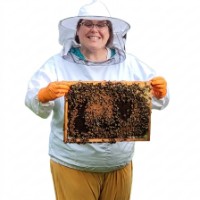
A beekeeper holding a hive frame can stay recognizable and detailed, with protective clothing, gloves, face, frame, and bees kept together as the meaningful foreground subject.
Animal Silhouettes Stand Out
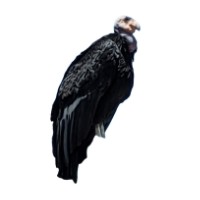
A large vulture can be separated from its surroundings so folded wings, pale head, dark feathers, and heavy posture stand clearly against white.
People Stay In Position
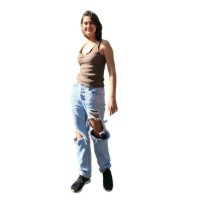
A full-body portrait can keep the same pose, clothing, scale, and placement while the surrounding scene is removed and replaced with a plain white background.
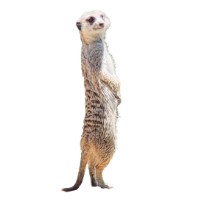
Small Wildlife Becomes Clear
A meerkat standing upright can keep its alert posture, striped body, ears, paws, and expression while everything around it is simplified away.
Create A Clean Subject Cutout
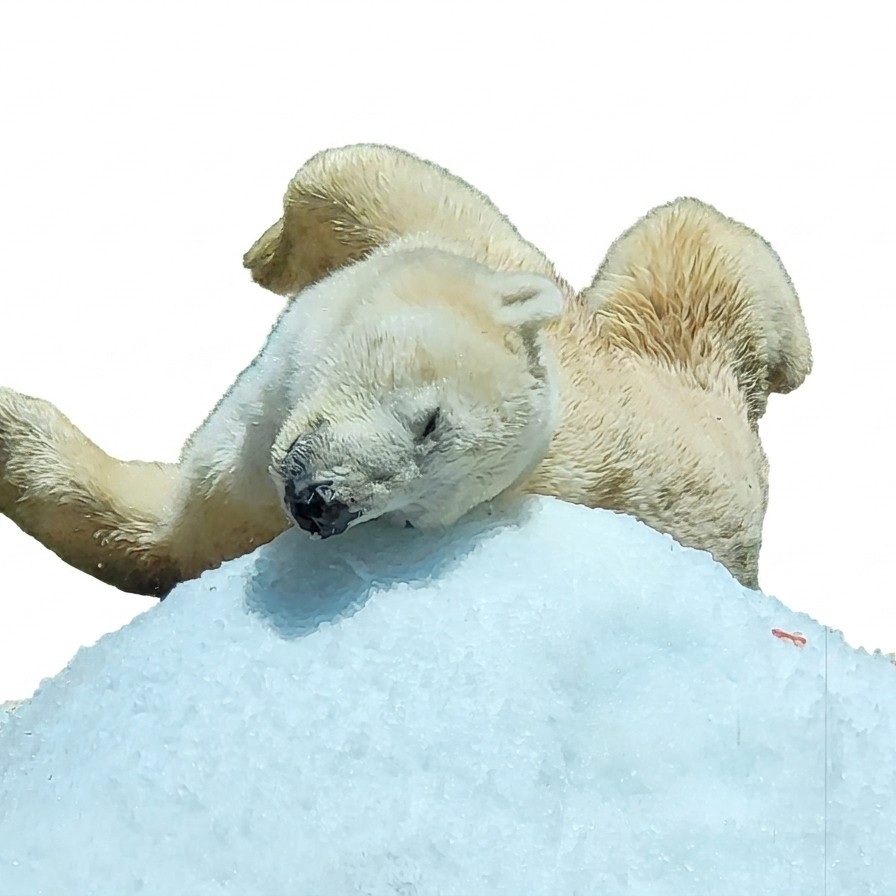
Isolate Subject removes the surrounding scene and leaves the main foreground subject on a bright white background. The goal is a clean cutout-style result without turning the subject into a different kind of artwork. A hornbill behind a fence can become a crisp bird portrait, a polar bear can keep its curled resting pose, and a person or animal can stay in the same place in the frame while distractions disappear.
This utility works well for people, pets, wildlife, products, vehicles, flowers, food, toys, collectibles, clothing, equipment, and important foreground objects. It is especially useful when you need a clean product-style image, a profile-ready portrait, a design asset, a marketplace photo, a presentation visual, or a subject separated from a messy background.
For best results, choose a photo where the subject is clearly visible and close enough to identify. Strong edges, good lighting, and a clear foreground subject help. Very complex hair, transparent objects, heavy motion blur, crowded scenes, or objects that overlap the subject may need more interpretation. When something blocks part of the subject, the tool may rebuild missing edges conservatively so the subject looks more complete, while keeping the original pose, scale, and frame position.
Choose the subject photo
Pick a portrait, pet, wildlife photo, product, vehicle, flower, food item, object, or foreground subject that is clearly visible and easy to distinguish from the background.
Apply Isolate Subject
Remove the surrounding scene, keep the subject in its original place and scale, and replace everything else with a bright white background.
Save the clean result
Download the isolated subject for profile images, product listings, design projects, presentations, thumbnails, cards, posters, catalogs, social posts, or organized photo collections.
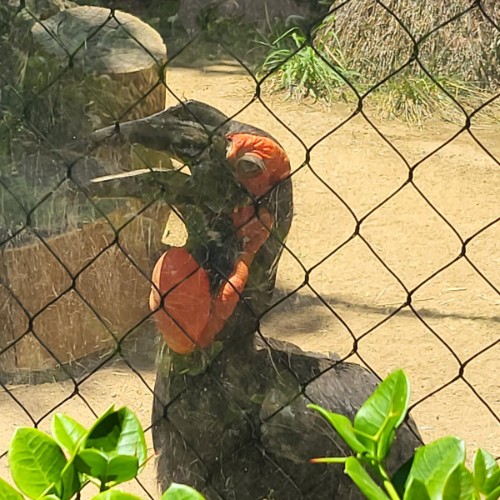
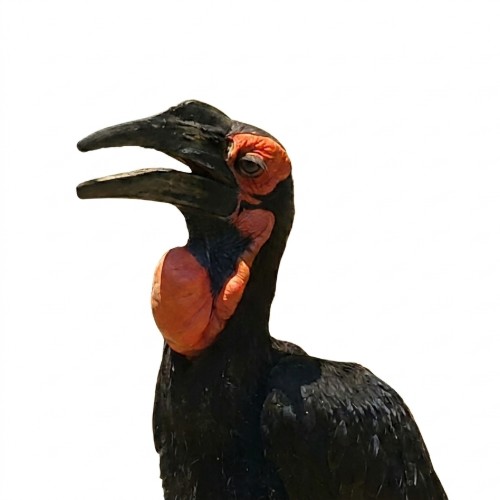
Isolate Subject Examples
These examples show how Isolate Subject handles wildlife with strong silhouettes, detailed markings, and distracting natural or enclosure backgrounds.
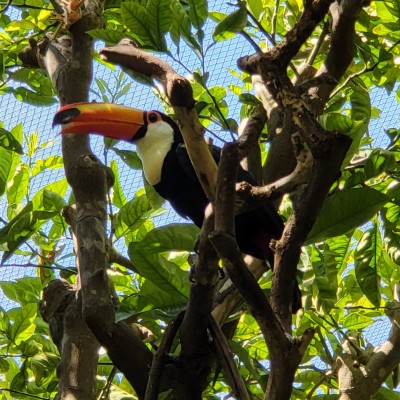
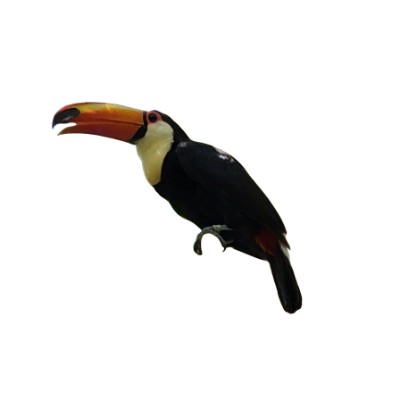
Toucan Cutout
A toucan keeps its bold beak, black feathers, white throat patch, talons, and alert perch while dense green branches are removed from around it.
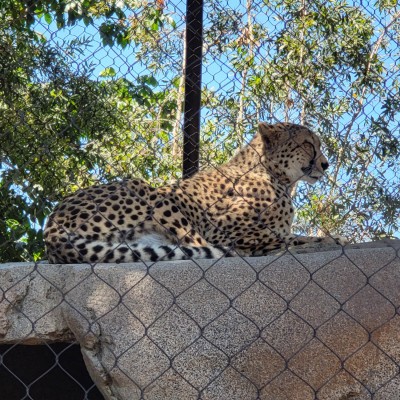
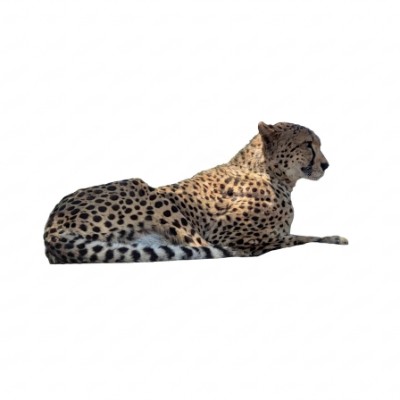
Cheetah On White
A resting cheetah keeps its relaxed body position, spotted coat, and turned head while the ledge, fence, foliage, and sky are removed.
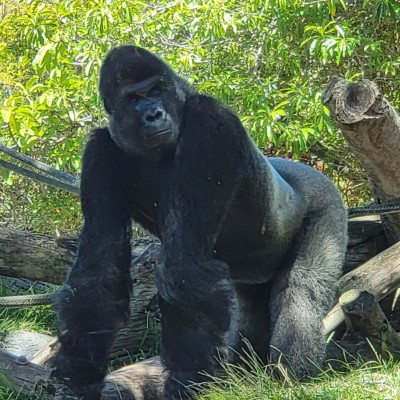
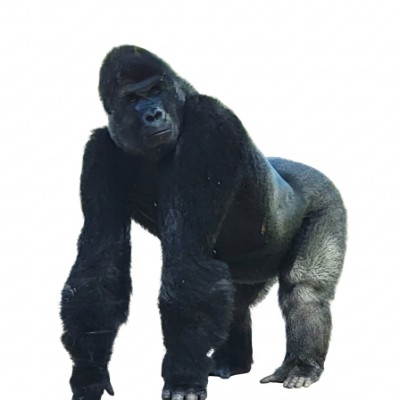
Gorilla Portrait
A gorilla keeps its powerful stance, dark fur, forward gaze, and imposing shape while logs, trees, and green foliage are cleared away.
Isolate Subject Questions
How do I isolate a subject from a photo?
Upload a photo, choose Isolate Subject, and create the result. FotoMedley removes the surrounding scene and places the main foreground subject on a clean bright white background.
What kinds of subjects work best?
People, pets, wildlife, products, vehicles, flowers, food, toys, clothing, tools, collectibles, and foreground objects can work well when the subject is clear and easy to distinguish from the background.
Will the subject stay in the same place?
Yes. This style is designed to keep the subject in the same framed position, scale, crop, pose, and camera angle instead of recentering or resizing it.
Does it remove the whole background?
Yes. The surrounding scene is removed and replaced with a solid white background. Floors, walls, scenery, furniture, plants, fences, background people, and other non-subject areas should be removed.
Can it fix parts of the subject that are blocked?
Sometimes. If a background object or distraction covers part of the subject, the missing area may be rebuilt conservatively so the subject looks more complete. Heavy obstruction may still be difficult.
Will it change the subject's appearance?
It is intended to preserve the visible subject as closely as possible, including identity, pose, clothing, fur, texture, color, lighting detail, and photo quality. It is not meant to restyle the subject.
What photos are harder to isolate?
Crowded scenes, subjects blended into the background, transparent objects, very fine hair, motion blur, low resolution, harsh shadows, and heavily blocked subjects can be harder to cleanly separate.
What can I use the isolated subject for?
Isolated subject images are useful for product listings, profile images, thumbnails, presentations, design assets, social posts, catalogs, memory books, cards, posters, and organized photo collections.