Art
Pixel Art
Create retro pixel art from photos with crisp square pixels, controlled resolution, and special game-inspired palettes.
What Pixel Art Brings Out
Pixel Art turns photos into small, readable, game-inspired images built around clean silhouettes, reduced detail, and deliberate color choices. Palette choice has a huge effect: 16-color output gives buildings, objects, and sprites a classic retro-game feel, CGA creates loud high-contrast arcade color, VGA preserves richer landscape shading, Game Boy palettes become stark and graphic, and unlimited color keeps more natural tones while still using a pixel-art structure. Lower pixel resolutions feel chunkier and more iconic; higher settings preserve more detail. Sprite-style output can remove the background so the subject reads like a standalone game asset.
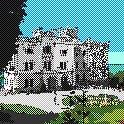
16-Color Landmarks Feel Classic
A grand white mansion can become a tiny 16-color retro environment, with blue sky, green lawn, windows, facade, and a small figure simplified into readable pixel blocks.
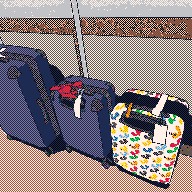
16-Color Objects Stay Readable
Travel luggage can stay recognizable in a 16-color palette through strong outlines, dark blue bags, bright patterned details, and simplified highlights that survive the pixel grid.
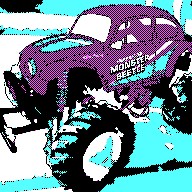
CGA Makes Vehicles Pop
A purple Monster Beetle truck can become a bold CGA-style subject, with oversized tires, bright cyan background, and high-contrast body color creating a loud early-computer look.

16-Color Sprites Stay Compact
A rhinoceros can become a small background-removed 16-color sprite, where the horn, body shape, sturdy silhouette, and transparent cutout matter more than fine surface detail.
Create Pixel Art From A Photo
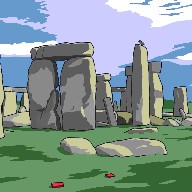
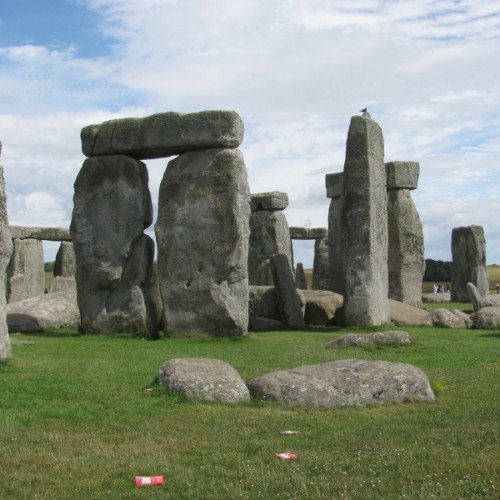
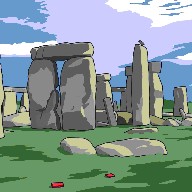
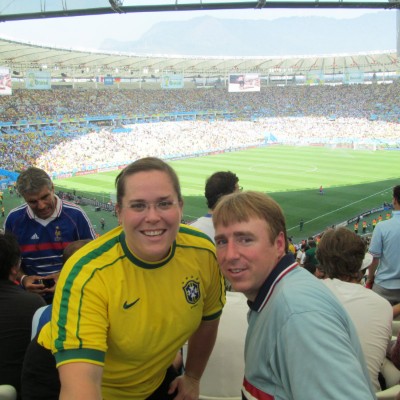
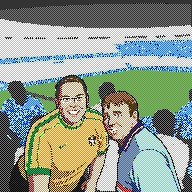
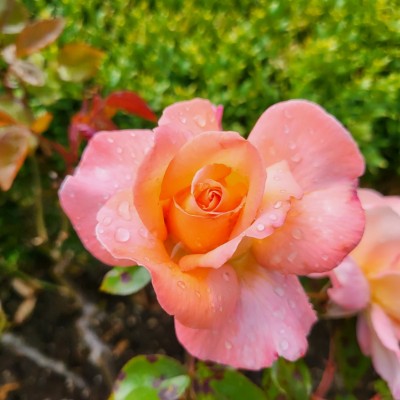
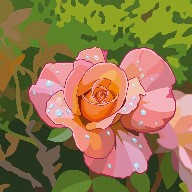
Pixel Art works best when a photo can be reduced into clear shapes, strong edges, and a controlled color palette. Stonehenge in a VGA palette can keep richer sky, grass, stone, and accent colors. A stadium memory in 16 colors can become a bright sports-game moment with simplified blue, green, yellow, and skin-tone blocks. A rose in unlimited color can preserve more of its natural pinks, greens, and warm petal variation while still becoming pixel art.
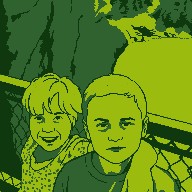
The palette selection changes the personality of the finished image. Game Boy-style output is spare and graphic, using only a few tones, which gives scenes like the waterfall portrait a handheld-game mood. CGA-style palettes feel bold, strange, and early-computer bright, as with the Monster Beetle. EGA, C64, and PICO-8 choices create compact 16-color looks with strong retro character, useful for subjects like the mansion, suitcases, and World Cup stadium memory. VGA-style color can hold more shading and secondary tones, while full color preserves more of the original photo's atmosphere. Pixel resolution matters too: a smaller maximum side creates chunkier, more iconic pixels, while a larger setting keeps more faces, props, textural hints, and background detail.
For best results, choose photos with strong composition and subjects that can survive simplification: landmarks, vehicles, pets, flowers, people, buildings, objects, travel scenes, sports memories, and portraits with clear faces. Tiny faces, complex crowds, delicate lettering, subtle expressions, busy backgrounds, and low-contrast details may simplify heavily. Pixel Art rewards bold shapes, readable silhouettes, and colors that still make sense when the image becomes small.
Choose a clear photo
Pick a landmark, portrait, pet, vehicle, flower, object, travel scene, sports memory, building, or everyday image with a strong subject and readable shapes.
Set the pixel feel
Choose a pixel resolution and palette direction, from Game Boy and CGA looks to 16-color retro palettes, VGA-style color, or richer unlimited color.
Save the retro result
Download the finished pixel art for avatars, stickers, profile images, game-inspired gifts, social posts, prints, memory books, icons, or creative projects.
Pixel Art Examples
These examples show how Pixel Art handles people, sports memories, nature, and landmarks with simplified shapes, reduced detail, and palette-specific color choices.
Game Boy Waterfall Memory
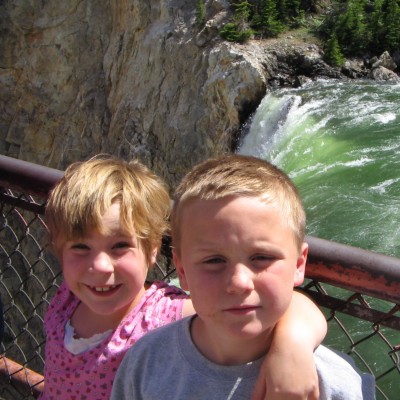
Two children near a waterfall become a compact Game Boy-style portrait, with simplified faces, strong green tones, and a reduced palette replacing photographic detail.
16-Color World Cup Fans
A soccer stadium photo becomes a colorful 16-color retro sports scene, with the yellow jersey, blue tracksuit, green pitch, and smiling faces simplified into bold pixel regions.
Unlimited-Color Rose
A pink rose uses an unlimited color palette to keep more natural petal warmth, green foliage, and garden atmosphere while still reducing the flower into clean pixel-art forms.
Pixel Art Questions
How do I turn a photo into pixel art?
Upload a photo, choose Pixel Art, select the pixel resolution and palette options, and create the result. FotoMedley converts the image into a smaller pixel-art composition with simplified shapes and palette-controlled color.
What does pixel resolution mean?
Pixel resolution controls the maximum pixel length of the longest side. Lower settings make the result chunkier and more sprite-like. Higher settings keep more detail while still using a pixel-art structure.
What palette options are available?
Pixel Art supports several color directions, including full color, VGA-style color, EGA-style 16-color output, C64-style 16-color output, PICO-8-style color, Game Boy-style shades, and very restricted CGA-style palettes.
Which palette should I choose?
Use full color for natural subjects like flowers when you want more tonal variety. Use VGA for richer landmark or landscape shading. Use 16-color palettes for classic game-style portraits, buildings, objects, and sprites. Use CGA or Game Boy when you want a more extreme retro constraint.
What is sprite-style output?
Sprite-style output removes the background so the subject can read more like a standalone game asset. It works best for animals, characters, vehicles, icons, and objects with strong silhouettes.
What photos work best for Pixel Art?
Landmarks, vehicles, flowers, pets, objects, buildings, travel scenes, sports moments, and portraits with clear faces can work well. Strong silhouettes, simple backgrounds, and bold colors usually translate best.
Is Pixel Art good for portraits?
Yes, but faces simplify a lot at low pixel resolutions or with restricted palettes. Choose a higher pixel resolution and a palette with enough colors if facial recognition matters.
Will small text stay readable?
Not reliably. Text, logos, signs, shirt graphics, and tiny details often simplify or disappear because pixel art reduces the image into fewer blocks and colors.
Why does a limited palette change the image so much?
A restricted palette forces the image to use only a small set of colors, so shadows, skin, sky, clothing, and backgrounds may shift dramatically. That color shift is part of the retro game look.
Can I make tiny sprite-style images?
Yes. Lower pixel resolutions, background removal, and 16-color or very limited palettes can create a more sprite-like result, especially for animals, icons, objects, and subjects with strong silhouettes.
Can I print Pixel Art?
Yes. Pixel art is usually small by design, so for printing or larger display, use an output that preserves crisp square pixels rather than smoothing them.