Utility
Touch Up
Improve color, clarity, texture, and photo polish before saving, sharing, printing, or increasing resolution.
What Touch Up Helps With
Touch Up is designed for photos that already have the right subject and composition but need more life, clarity, and polish. It can make colors richer, reduce dullness, sharpen textures, improve detail, and prepare an image for higher-resolution output. It is often strongest on animals, nature, landscapes, flowers, products, food, and general scenes, where sharper fur, feathers, leaves, bark, stone, petals, and surface detail can make the photo feel cleaner. It can also help portraits, but results with specific people should be reviewed carefully because identity preservation matters more than aggressive enhancement.
Sharpen Animal Detail
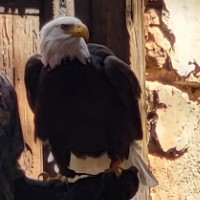
A bald eagle can gain stronger feather definition, a crisper white head, clearer beak detail, and richer contrast against rugged branches and stone.
Clarify Outdoor Texture
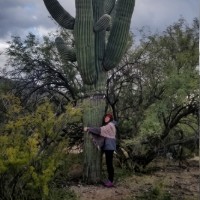
A person beside a giant saguaro can keep the desert composition while cactus ridges, dry brush, bright daylight, and earthy color become clearer and more defined.

Bring Out Fur And Foliage
A red panda resting on a branch can feel more vivid as reddish fur, leafy greens, bark texture, and dappled light gain detail and color.

Make Color Feel Fresher
A yellow rose among red blooms can become brighter and more polished, with clearer petal edges, richer color contrast, glass detail, and warm wood texture.
Touch Up A Photo Before Sharing Or Upscaling
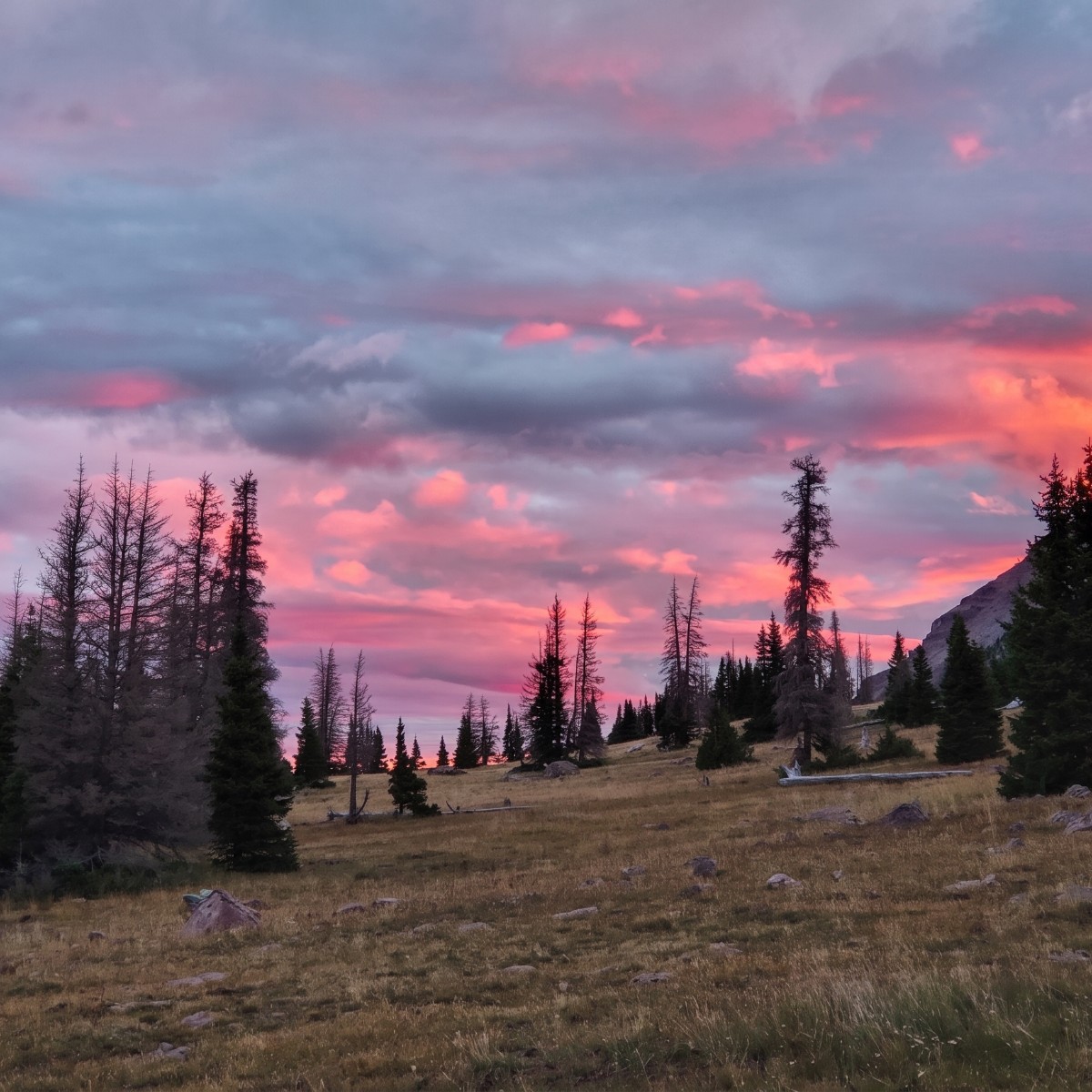
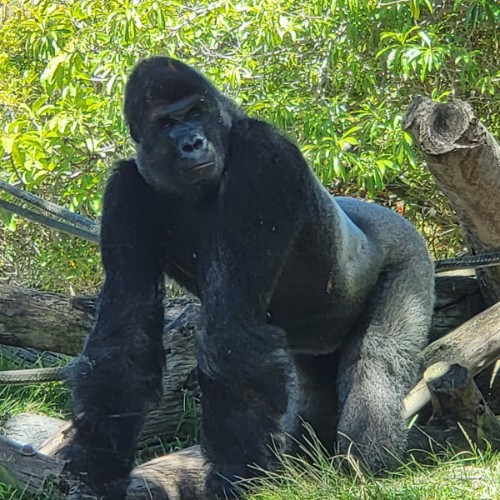
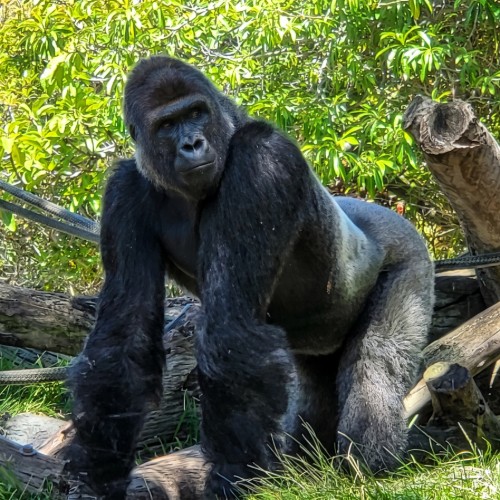
Touch Up improves the existing photo rather than changing what the photo is. It is meant for color, clarity, texture, and polish: a mountain sunset can gain richer pink and orange light, a gorilla can keep its calm gaze while dark fur and green leaves become clearer, and a squirrel on a railing can show more fur texture and sharper woodland detail.
This utility is especially useful before increasing resolution, printing, cropping, or reusing an image in a project. A cleaner, clearer source often gives an upscaler more useful detail to work with. Touch Up can reduce fuzzy softness, improve local contrast, recover texture, and make animals, landscapes, flowers, food, products, buildings, travel scenes, and nature photos feel more finished.
Portraits can also benefit from clearer color, reduced noise, and gentler skin texture, but they require more care. Because the tool is trying to improve detail, it may be more reliable on general subjects such as animals, scenery, objects, flowers, and products than on specific people where exact identity is critical. For personal portraits, review the finished result closely and choose source photos where the face is already clear and well lit.
Choose a photo worth improving
Pick a landscape, animal, pet, flower, product, food, travel scene, portrait, or everyday photo with good composition but dull color, softness, fuzziness, noise, or weak texture.
Apply Touch Up
Enhance the existing photo with richer color, clearer contrast, sharper texture, reduced fuzziness, cleaner detail, and natural polish while keeping the scene recognizable.
Save or upscale the result
Download the improved image for printing, sharing, albums, social posts, product pages, presentations, memory books, or as a cleaner starting point before increasing resolution.
Touch Up Examples
These examples show how Touch Up can improve animal texture, snowy scenes, outdoor portraits, and woodland detail while keeping the original photo recognizable.
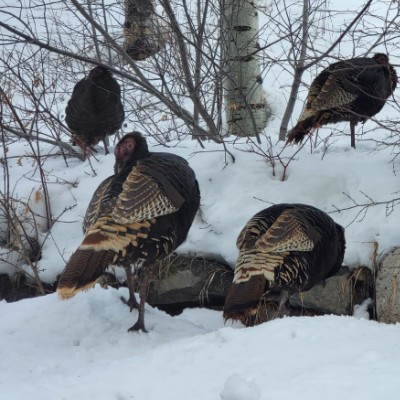
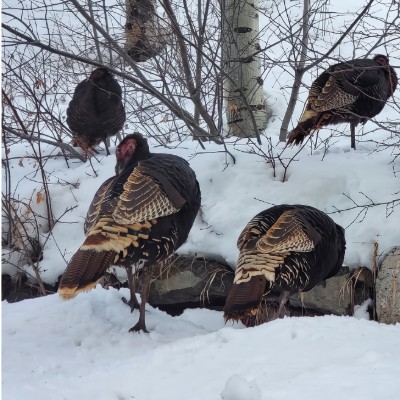
Turkeys In Snow
Wild turkeys in a snowy field gain richer feather color, clearer contrast against the white ground, and a crisper winter atmosphere.


Outdoor Couple Photo
A casual outdoor portrait can gain better color and clarity, though specific faces should always be reviewed closely when identity accuracy matters.
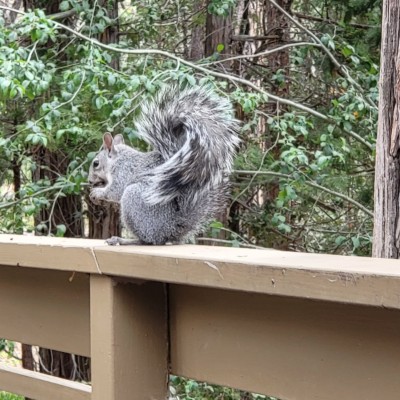
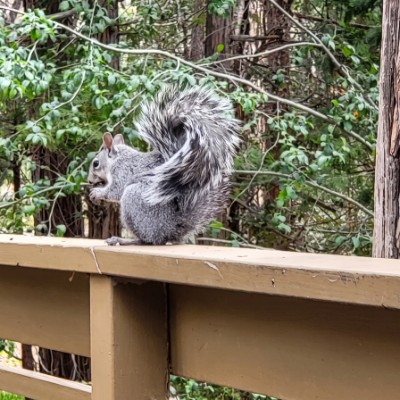
Squirrel On A Railing
A squirrel in a wooded setting gains sharper fur texture, clearer railing detail, and more vivid green foliage while keeping the natural scene intact.
Touch Up Questions
What does Touch Up do to a photo?
Touch Up improves the existing image with richer color, better contrast, sharper texture, reduced fuzziness, cleaner detail, and a more polished look. It is meant to keep the same photo, not create a new scene.
When is Touch Up most useful?
It is especially useful before increasing image resolution, printing, cropping, or sharing. A cleaner, sharper, better-balanced image can be a stronger starting point for upscaling.
What kinds of images work best?
Animals, pets, landscapes, flowers, food, products, architecture, travel scenes, nature photos, and other general subjects often work well because texture and color can be improved without risking a specific human identity.
Does Touch Up work on people?
It can improve portraits with better color, clarity, reduced noise, and gentler skin cleanup. However, it may be less predictable for specific people than for animals or general scenes, so review faces carefully when identity accuracy matters.
Will it change what is in my photo?
It is designed not to. The goal is to preserve the same canvas, crop, subjects, background, object placement, and scene layout while improving visual quality.
Can it make blurry or fuzzy photos sharp?
It can often improve mild softness, fuzziness, and noise, but it cannot fully recover detail that was never captured. Very blurry, tiny, or low-quality photos may still have limits.
Will skin look smoother?
Yes, gently. Touch Up can reduce temporary blemishes, harsh noise, blotchiness, and unflattering softness, but it should preserve natural skin texture, face shape, age, freckles, wrinkles, and real human character.
Will textures become more detailed?
That is the goal. Fur, feathers, hair, leaves, grass, bark, dirt, stone, fabric, flowers, food, and product surfaces can look clearer and more tactile when the original photo gives enough information.
Can Touch Up overdo the enhancement?
Sometimes strong enhancement can make a result feel too sharp, too colorful, or less faithful on sensitive subjects. If the photo includes a specific person, important document detail, or subtle artwork, check the result carefully.
Is Touch Up the same as upscaling?
No. Touch Up improves the look and clarity of the current image. It is especially useful before an upscaling step, but increasing the actual pixel dimensions is a separate goal.